

· Olivier Moreau · Use cases · 1 min read
What a simple prompt can do
One sentence — "find the 10 biggest accounting firms in Lyon and put them in an Excel file" — and Brain does the research, builds the spreadsheet, formats it, and saves it to your drive.
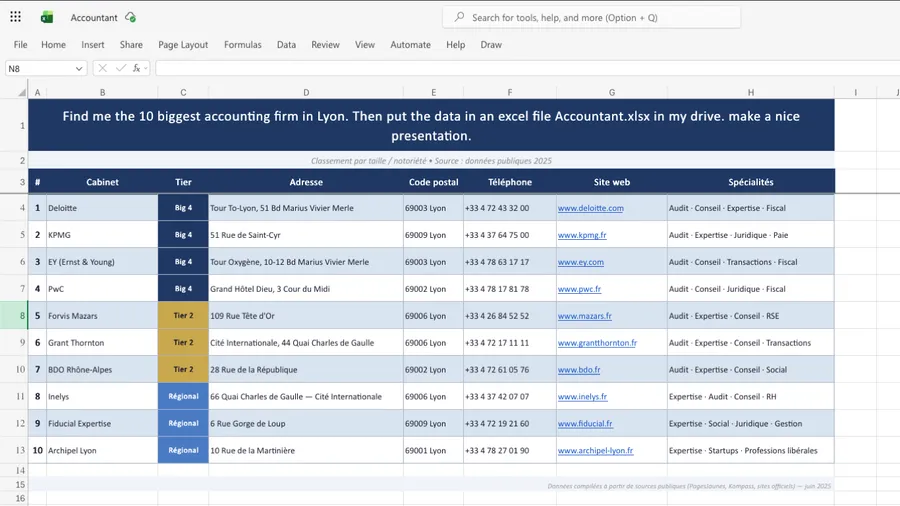
This is one message — nothing else:
“Find me the 10 biggest accounting firms in Lyon. Then put the data in an Excel file
Accountant.xlsxin my drive. Make a nice presentation.”
From that single line, Brain did the research, organised the firms by tier — with addresses, phone numbers, websites and specialities — formatted the sheet, and saved Accountant.xlsx to your drive (shown above). No copy-paste, no template, no formatting by hand.
That’s the point: “go find this and put it in a file” is now a single sentence. Swap in your own ask — competitors in your city, suppliers by region, prospects from a conference list — and Brain does the legwork and hands you a clean, finished file.